Social Media Post Ideas to Get More Leads & Signups
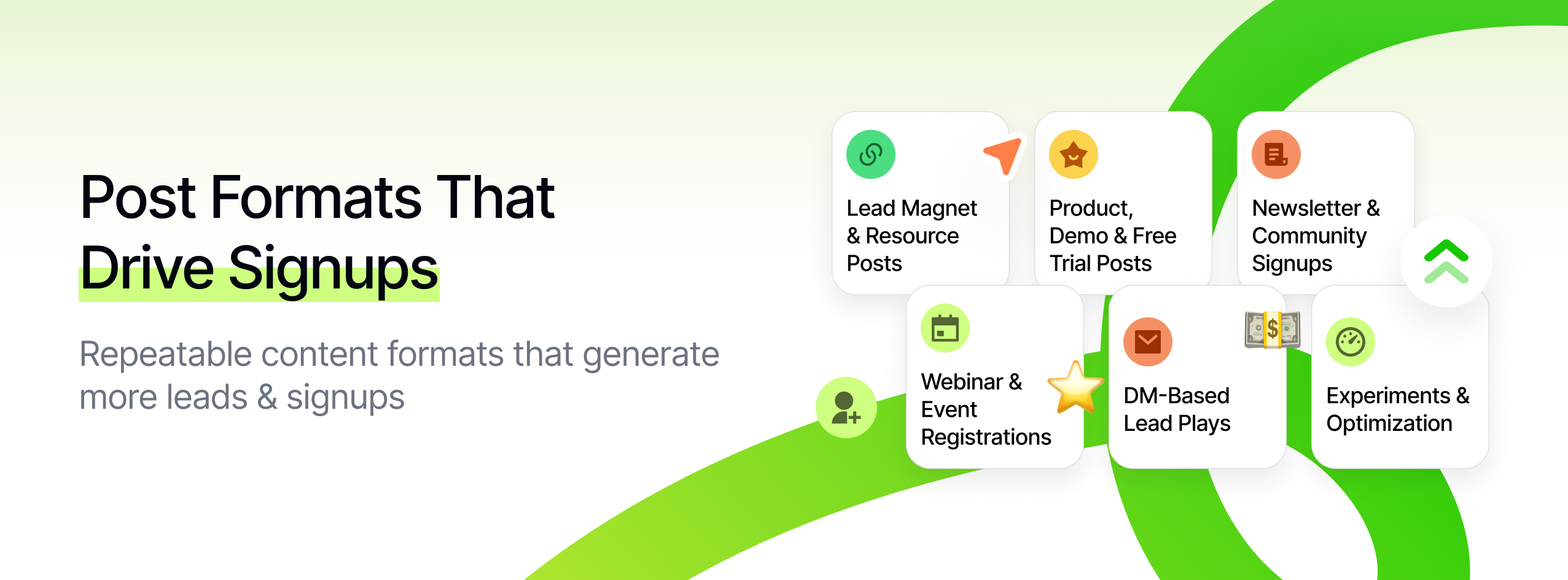
If you want more leads and signups, you need posts designed for one specific job: Make the right people think: "This is exactly for me - I should sign up now."
This guide walks through practical, repeatable social media post ideas to get more leads and signups across Instagram, TikTok, LinkedIn, X, YouTube, and more.
You'll learn:
- Post formats that naturally drive signups (not just link clicks)
- How to frame your offer so it feels low-risk and high value
- Ways to pre-qualify leads before they opt in
- How to use Socialmon to find and reuse proven lead-gen patterns in your niche
Treat this as a swipe file you can come back to:
- Don't try every idea at once.
- Pick a handful that fit your funnel.
- Implement properly, track results, and iterate.
💡 Where Socialmon fits in
As you read, keep one browser tab open with Socialmon. For each section, you can:
- Create (or open) a board for that goal, e.g. Get More Leads or Lead Magnets & Opt-Ins
- Save real posts from your niche that match the patterns in this guide
- Turn this article + your Socialmon boards into a living, visual playbook for lead-gen content
How These Post Ideas Help You Generate More Leads
These ideas are optimized for lead quality and conversion, not vanity metrics like likes and generic reach.
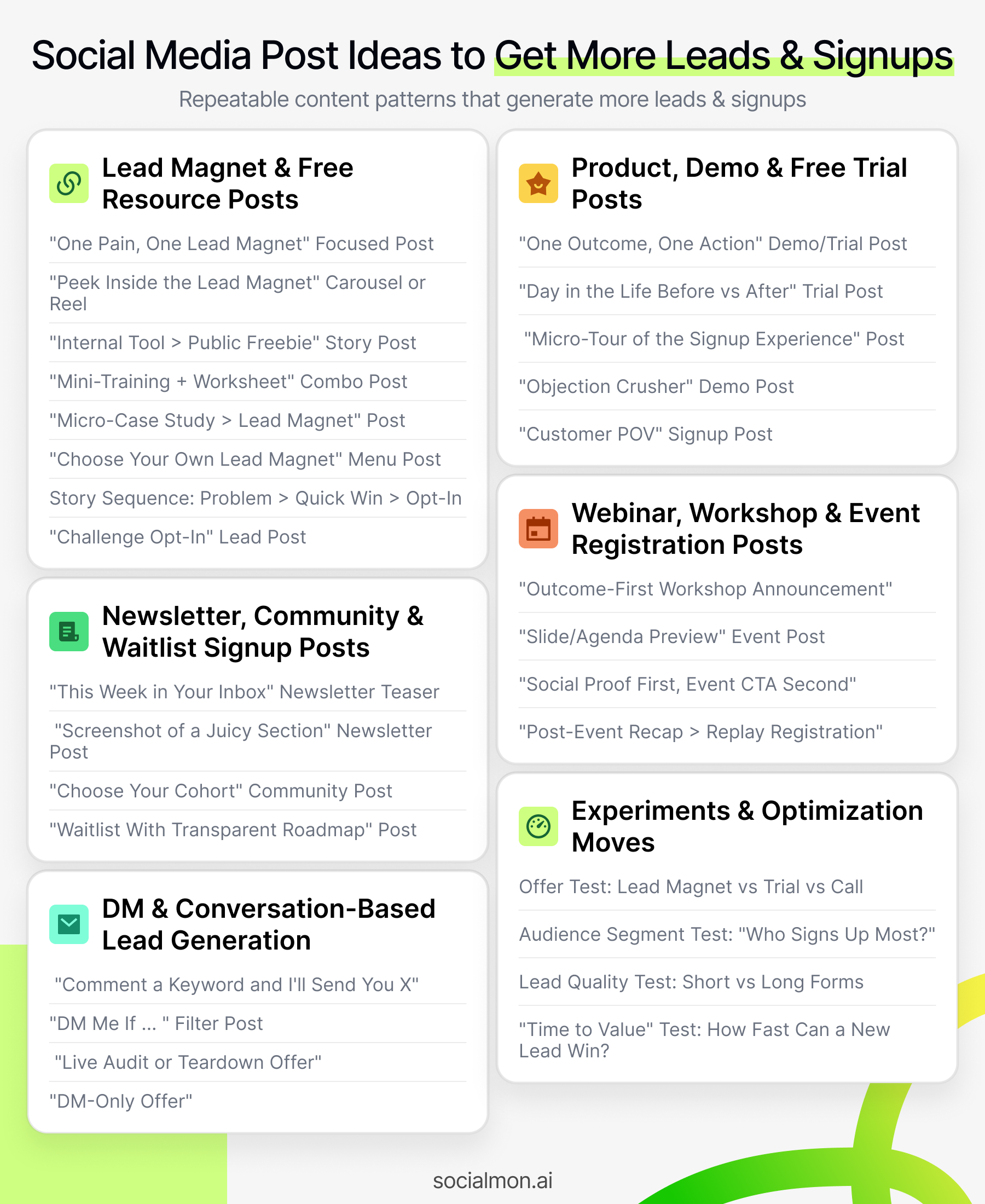
Each post concept is designed to do at least one of these:
1. Match a Specific Intent
The post speaks to a clear audience and a clear job-to-be-done, for example:
- "Freelance designers who want to get booked out"
- "Seed-stage founders who need more demo requests this quarter"
- "Local gyms trying to turn followers into trial members"
That specificity is what makes people think: "This sounds like me - I should actually sign up."
2. Make the Signup Feel Like an Upgrade, Not a Chore
The benefit of becoming a lead or signing up is:
- Obvious: "Get 10 plug-and-play lead-gen post templates"
- Immediate: "Walk away from the workshop with 3 posts ready to publish"
- Concrete: "Get our 5-email onboarding sequence with subject lines and copy"
You're not asking for "join my list" - you're offering something that clearly improves their situation in the next few days.
3. Reduce Friction and Risk
High-converting posts remove doubts like:
- "What am I actually signing up for?"
- "How often will you email me?"
- "Is this going to be spammy or salesy?"
- "Is there a credit card wall hiding somewhere?"
Good lead-gen posts make it clear:
- What they'll get immediately
- How often they'll hear from you
- That they can leave or cancel easily
This makes the decision to opt in feel safe.
4. Pre-Sell the Value Before the Opt-In
Instead of "Trust me, it's good - sign up to see it," strong posts:
- Show snippets of the lead magnet, trial, or workshop
- Share micro case studies and small wins
- Give away part of the framework in the post, and use the signup as the "implementation kit"
By the time they see the link or DM CTA, they already believe: "If the free part is this good, the thing behind the form is probably worth it."
5. Work Across Major Platforms
You can adapt these ideas for:
- Instagram / TikTok / YouTube Shorts
- Short-form videos, carousels, and Stories with link stickers or DM keywords
- LinkedIn / X
- Threads, document posts, "story + CTA" posts that lead into lead magnets, demos, or webinars
- Pinterest
- Pins pointing to landing pages, checklists, templates, and free trials
Each format changes how you package the idea, but the core mechanics (clear audience, specific offer, obvious next step) stay the same.
Pro Tip: Turn Socialmon into Your Lead-Gen Radar
In Socialmon, create boards like:
- Lead Magnets & Opt-Ins
- Demo / Trial Signups
- Newsletter Signup Plays
Whenever you see a post where comments say things like:
- "Just joined!"
- "Signed up, this looks amazing."
- "Downloaded, thanks for sharing."
...save it to the relevant board.
Over time, those boards become proof-backed pattern libraries:
- You're not guessing what might generate leads.
- You're modeling structures and offers that already did - for real brands, in your exact niche.
A. Lead Magnet & Free Resource Posts That Turn Attention Into Leads
These social media post ideas for lead magnets are all about getting people to trade their email (or contact info) for something they actually want: checklists, templates, Notion systems, calculators, mini-courses, and more.
Use these when your primary goal is:
"Grow my email list with people who are likely to become customers later."
1. "One Pain, One Lead Magnet" Focused Post
Goal: Make your freebie feel like the obvious solution to one painful, specific problem.
Most lead magnet posts fail because they're vague: "I made a free ebook about marketing." Nobody wakes up wanting "an ebook." They do wake up thinking, "Why is my landing page not converting?" or "Why isn't anyone replying to my DMs?"
How to do it
Choose one sharp problem, not a bundle:
- "Can't get people to reply to your cold emails?"
- "Your landing page gets traffic but no signups?"
- "Your Reels get views but zero discovery calls?"
Position the lead magnet as the fastest, easiest fix:
- A checklist
- A short playbook
- A small script bank
Structure your caption:
- Call out the pain
- Name the specific outcome
- List 3-5 things inside the resource
- Clear signup CTA
Example caption:
"You're getting profile visits but almost no email signups. That's usually a landing page problem, not a traffic problem. I made a Landing Page Quick Fix Checklist that helps you: - Spot trust-killing mistakes in 5 minutes - Rewrite your hero section with proven formulas - Add 3 simple elements that usually increase signups Grab it free here - I'll send it straight to your inbox → [link]"
Why this lead magnet post idea works
- It solves one job, not everything.
- The opt-in feels like a quick relief, not another 40-page PDF to ignore.
- The offer is easy to understand in 3 seconds.
Using Socialmon here
In Socialmon:
- Create a board: One-Pain Lead Magnets.
- Save posts where the creator promotes a very specific freebie:
- "Client onboarding checklist"
- "7-email launch sequence"
- "Reel hook bank for coaches"
Tag them one_pain_one_lead.
When you're stuck, open that board, scan 5-10 posts, and mirror their structure: one pain → one outcome → one lead magnet → one simple CTA.
2. "Peek Inside the Lead Magnet" Carousel or Reel
Goal: Remove doubt and make the lead magnet feel tangible and worth the click.
Instead of "trust me, it's good," show them inside.
How to do it
Grab real screenshots or crops of your resource:
- Column headers from your Google Sheet
- A filled-in part of your Notion board
- One page of your PDF
Blur or crop just enough so:
- It's clearly a real asset
- But not fully readable (they still need to opt in)
Carousel structure:
- Slide 1: Strong hook (pain + outcome)
- Slides 2-4: "Inside the resource" screenshots with short labels
- Final slide: CTA + URL / "link in bio"
Example caption:
"Here's a peek inside the Notion system I use to turn followers into leads: - Page 1: Content → lead magnet mapping - Page 2: Weekly lead tracking dashboard - Page 3: Follow-up sequence planner I cleaned it up so you can duplicate it. Get it free when you join the list here → [link]"
Extra tips
- Add mini labels on slides like "Page 1: Overview", "Page 2: Lead Tracker".
- Call out who it's for: "for solo founders", "for small agencies", etc. That boosts signup quality.
Using Socialmon here
In Socialmon:
- Save posts where creators show a blurred Notion/Sheet/PDF and say "get the full template via link."
- Tag them: preview_lead_magnet, notion_template, spreadsheet_template.
When building your own carousel, open that set and copy:
- How many pages they show
- How they label them
- How they phrase the "peek inside" CTA
3. "Internal Tool → Public Freebie" Story Post
Goal: Make your lead magnet feel battle-tested, not generic.
"This was our internal tool" instantly raises perceived value.
How to do it
Tell the origin story:
- "We built this for ourselves first."
- "We used this spreadsheet when ads were off."
- "This board is how we plan all our launches."
Show what it helped you do:
- "Helped us track which posts actually generated leads."
- "Helped us kill 3 channels and double down on 2 winners."
Shift to the opt-in:
- "We finally cleaned it up so you can copy it free."
Example caption (LinkedIn / Instagram):
"This template started as a messy Google Sheet our team used to track leads by channel. Over 9 months, we used it to: - See which posts actually generated signups - Kill 3 channels that never brought leads - Double down on 2 channels that quietly did We finally cleaned it up and turned it into a simple, plug-and-play sheet anyone can use. You can get it free when you join our list here → [link]"
Why it works
- Signals "real ops tool," not a random lead magnet.
- People feel like they're getting access to something private and proven.
Using Socialmon here
In Socialmon, search and save posts with phrases like:
- "We used this internally..."
- "This started as our internal tool..."
Add them to a Behind-the-Scenes Freebies board.
When you're writing your own, follow the same beats: internal → results → cleaned-up version → free access.
4. "Mini-Training + Worksheet" Combo Post
Goal: Use the post to teach the concept & the lead magnet to provide the implementation tool.
You're basically saying: "I'll teach you what to do here. The freebie helps you do it faster."
How to do it
Pick a simple lead-gen framework, e.g.:
- 3-part profile optimization
- 4-step DM script
- 5-part "lead magnet funnel" outline
Teach the framework in the post:
- Short breakdown: 3-5 bullet points
- One or two quick examples
Use the lead magnet as the "done-for-you" kit:
- Worksheet to fill in
- Script bank
- Checklist / prompt sheet
Example thread (LinkedIn / X):
"Here's the 3-part DM script we use to turn warm followers into leads: 1️⃣ Context 2️⃣ Specific observation 3️⃣ Low-pressure next step [Then break each step with 1-2-line examples] I turned this into a copy-and-paste DM script bank + worksheet so you never stare at a blank DM screen again. Grab it free here → [link]"
Why it works
- The post stands alone as value.
- The opt-in is framed as a shortcut to implementation, not a mystery.
Using Socialmon here
Create a board: Framework + Worksheet Posts.
Save posts where:
- Someone shares a framework
- Then offers a worksheet / template via link
Tag them framework_post, worksheet_lead.
Use them as structural templates for your own "teaching + toolkit" combos.
5. "Micro-Case Study → Lead Magnet" Post
Goal: Use a small, believable win to pre-sell your free resource.
Instead of shouting "free guide!", show a concrete result, then reveal the kit behind it.
How to do it
Pick a micro win:
- "97 email subscribers in 7 days"
- "14 booked calls in 10 days"
- "3 trial signups from a single post"
Share a neat mini story in 2-4 bullets:
- What you tried
- What you changed
- The result
Tie it directly to the lead magnet:
- "We bundled the checklist + templates we used into a free kit."
Example caption:
"We added 97 email subscribers in 7 days with zero ad spend. The playbook was simple: - One ultra-specific lead magnet - 3 teaser posts structured the right way - 2 follow-up emails after people joined I bundled the exact checklist + post templates into a free '97 Leads in 7 Days' kit. Join the list and I'll send it to you instantly → [link]"
Tips
- Add a small graph or screenshot of your email dashboard (numbers blurred if needed).
- Keep the result small but credible; avoids "too good to be true" vibes.
Using Socialmon here
In Socialmon, save posts with:
- "We added X subscribers"
- "We booked Y calls"
- "Here's what we did... grab the kit"
Tag them micro_case_lead.
Use them as examples when writing your own "result → resource" promos.
6. "Choose Your Own Lead Magnet" Menu Post
Goal: Capture different segments of your audience with one post and multiple tailored opt-ins.
Great when you have several high-value freebies but don't want to spam your feed with each one.
How to do it
Create 2-3 lead magnets, each tied to:
- A persona ("freelancers", "in-house marketers") or
- A stage ("just starting", "already getting leads", "ready to scale")
Turn them into a visual menu:
- Slide 1: Big question: "What do you need most right now?"
- Slide 2: Option A → "More calls" → Call Booking Script Pack
- Slide 3: Option B → "More signups" → Landing Page Fix Checklist
- Slide 4: Option C → "More demos" → Demo Pitch Outline
- Slide 5: Explain how to get the right one
Give clear instructions:
- "Comment A/B/C and I'll DM you the right link."
- Or "Tap the one that fits you best in the link in bio / on the page."
Example carousel:
- Slide 1: "What do you need most right now?"
- Slide 2: "A - More discovery calls → Call Booking Script Pack"
- Slide 3: "B - More email subscribers → Landing Page Fix Checklist"
- Slide 4: "C - More demo requests → Demo Pitch Outline"
- Slide 5: "Comment A/B/C and I'll send you the right one - or tap the one that fits you best via the link in bio."
Why it works
- People feel seen and choose what fits them.
- You get segmentation signal: which outcome is most in demand.
- Comments → more reach → more leads.
Using Socialmon here
Build a Lead Magnet Menu board in Socialmon.
Save:
- "What do you need help with?" menu posts
- Posts that offer A/B/C choices tied to different opt-ins
Tag them menu_lead_post, segmented_offer.
Use them as a blueprint whenever you launch multiple opt-ins at once.
7. Story Sequence: Problem → Quick Win → Opt-In
Goal: Use Stories to warm people up, then present your lead magnet as the natural next step.
Stories are perfect for a mini narrative that ends in a link sticker.
How to do it
4-slide sequence example:
Slide 1 - Problem call-out
"If your Stories get views but your links get ignored, it's usually not a 'bad audience' problem - it's a framing problem."
Slide 2 - Quick win / concept
Show one "before vs after" CTA example:
- Before: "New article - link in bio"
- After: "5 hooks that booked 11 calls in 10 days - link in bio"
Slide 3 - Tiny proof
- Screenshot of analytics: "We used this shift to grow from 0 to 135 leads in a month."
Slide 4 - Lead magnet CTA
"I made a checklist of angles + scripts you can swipe. I'll send it free when you join here → [link sticker]."
Why it works
- Stories build emotional momentum.
- You sneak in a win first, then the offer.
- The lead magnet feels like the next logical step.
Using Socialmon here
Use Socialmon's extension to capture Story patterns (via Story screenshots or re-posts).
Collect:
- Problem slide → proof → link sticker sequences
- "Swipe to get the checklist" or "tap for toolkit" sequences
Tag them story_lead_sequence.
Reuse the framing but plug in your niche and lead magnet.
8. "Challenge Opt-In" Lead Post
Goal: Make signups feel like joining a short, guided experience, not just downloading a file.
Challenges usually perform better than "static" freebies because they have a timeline and a clear finish line.
How to do it
Name a very specific challenge + outcome:
- "5-Day Story-to-Lead Challenge"
- "7 Days to Your First 100 Email Subscribers"
- "3-Day DM-to-Discovery-Call Sprint"
Explain the daily structure briefly:
Each day:
- One small action
- One real example
- One template or script
Use the lead magnet as the challenge toolkit:
- Schedule
- Worksheets
- Scripts
- Optional email reminders
Example caption:
"For the next 7 days, I'm running a free First 100 Leads challenge. Each day you'll get: - One small action to take - A real example to follow - A simple template to copy Everything is pre-loaded - just plug in your niche and hit publish. Join the challenge and get the toolkit sent to you here → [link]"
Why it works
- People love clear start/end dates and promised outcomes.
- "Join a 7-day challenge" feels more compelling than "download my PDF."
- Great for collecting high-intent leads.
Using Socialmon here
In Socialmon, create a Challenges & Bootcamps board.
Save posts that:
- Announce 3-7 day challenges
- Offer "toolkits" or "workbooks" as part of the signup
Tag them challenge_opt_in, bootcamp.
When planning your own challenge, open this board and reuse proven:
- Naming patterns
- Outcomes
- "What you'll get each day" copy
Socialmon as Your Lead Magnet Idea Engine
Whenever you plan a new lead magnet post:
- Open your Lead Magnets & Free Resources board in Socialmon.
- Filter by tag (e.g. one_pain_one_lead, preview_lead_magnet, challenge_opt_in).
- Pick 2-3 examples that match the vibe you want.
- Steal the structure (hook shape, slide flow, CTA style), not the words.
- Plug in your own audience, pain, and offer.
B. Product, Demo & Free Trial Posts That Turn Interest Into Signups
These social media post ideas for free trials, demos, and product signups are designed to do one thing:
Turn "this is interesting" into "okay, I'll actually sign up."
Use them when your main CTA is:
- Start a free trial
- Book a demo / strategy call
- Create a free account
- Try a feature for yourself
9. "One Outcome, One Action" Demo/Trial Post
Goal: Make the signup feel like the only logical next step for someone who wants a specific outcome.
Most demo/trial posts flop because they talk about everything: "We're an all-in-one platform with dashboards, workflows, AI, automation, integrations..."
People don't buy "all-in-one." They buy a specific outcome.
How to do it
Pick one outcome your ideal customer cares about:
- "See exactly which posts generate leads"
- "Book more qualified calls from LinkedIn"
- "Turn profile visits into email subscribers"
Build the entire post around that outcome:
- Open with the pain ("You're posting, but can't see which posts create leads").
- State the promised outcome ("Know exactly which posts drive signups").
- Make the CTA one action ("Start your free trial" / "Book a 15-min demo").
Keep it ruthlessly focused:
- One core problem
- One promised result
- One link
Example caption:
"If you're posting 3-5 times a week and still don't know which posts actually create leads, that's a problem. We built [product] so you can: - See which posts led to signups - Double down on what works - Stop wasting time on 'pretty but empty' content If that's the outcome you want, start a free 14-day trial here → [link]"
Why this works
- No "feature soup" → easier to understand in 2-3 seconds.
- People self-select: "Yes, I want that outcome."
- The action is singular and obvious: sign up here.
Using Socialmon here
In Socialmon:
- Build a Trials & Demos - Outcome Posts board.
- Save posts where tools say things like:
- "See which ads bring in customers."
- "Know exactly where your leads come from."
- "Turn profile views into booked calls."
Tag them one_outcome_one_action, trial_post.
Use those as structure references when you write your own outcome-first demo/trial posts.
10. "Day in the Life Before vs After" Trial Post
Goal: Help people feel how their week changes once they sign up.
People don't buy trials. They buy better weeks.
How to do it
Pick your buyer's real daily/weekly reality:
- Founder juggling content, sales, and ops
- Marketer reporting on campaign performance
- Creator trying to turn followers into leads
Write a simple "Before vs After" narrative:
- Before using your product
- After using your product for a few weeks
Use a carousel or side-by-side:
- Before: 3-5 bullets of chaos, guessing, manual effort
- After: 3-5 bullets of clarity, automation, signups
Close with a direct trial CTA:
"If you want your week to look like the 'after' column, start a free trial here → [link]"
Example carousel copy:
Before
- Manually digging through DMs to see who's interested
- Copy-pasting lead info into a spreadsheet
- Guessing which posts actually drive signups
After
- Leads automatically tagged by source
- One dashboard showing signups per post
- Clear winners to double down on each week
"If you want the 'after' version of your week, start a free 14-day trial → [link]"
Why this works
- It's easy to imagine yourself in the "before."
- The "after" feels attainable and specific.
- The trial link becomes the doorway to that after state.
Using Socialmon here
In Socialmon:
- Save carousels that use:
- "Before / After" layouts
- "Old way vs New way"
- "Without [tool] vs With [tool]"
Tag them before_after_trial, week_in_the_life.
When writing, take a layout you like, then plug in:
- Your buyer's current reality
- The improvements your product realistically delivers
- A crystal-clear "start your trial" link
11. "Micro-Tour of the Signup Experience" Post
Goal: Remove signup anxiety by showing exactly what happens when someone clicks.
Many people hesitate to start a trial because they're thinking:
- "Is this going to be annoying? Will I get trapped in a 12-step setup? Am I going to be charged?"
Show them that it's quick and safe.
How to do it
Record a short 15-30 sec screen capture of:
- Landing on your signup page
- Filling 2-3 simple fields
- Hitting submit
- The "you're in" screen + first view of the product
Overlay simple, reassuring captions:
- "Takes < 60 seconds"
- "No credit card required" (if true)
- "Cancel anytime"
- "See your first lead insights in minutes"
Use a straightforward CTA:
"If this looks manageable, try it here → [link / link in bio]"
Example Reel / TikTok script (spoken + text):
"Here's what happens when you start a free trial with us 👇 - Go to [URL] - Enter your email and name - Connect your main channel - Done. You'll land on a dashboard that shows your first lead insights in minutes. If you want to see this view for your content, start your free trial - link in bio."
Why this works
- Reduces fear of "hidden friction."
- Makes the process feel lightweight and safe.
- Ideal for visual platforms like Instagram Reels, TikTok, and YouTube Shorts.
Using Socialmon here
Create a Signup Micro-Tours board.
Save posts where SaaS products:
- Show the signup flow
- Show the "inside" of the app briefly
- Emphasize "no credit card / under X minutes"
Tag them signup_tour, onboarding_demo.
Use these to inspire your own signup walk-throughs across different platforms.
12. "Objection Crusher" Demo Post
Goal: Address the top 2-3 reasons people don't sign up - directly in the post.
Most people don't say "no"; they silently stall:
- "I don't have time."
- "We're too small."
- "We already use something else."
- "I'm scared it'll be hard to set up."
Call those out and neutralize them.
How to do it
List the 3 biggest objections you hear:
- From sales calls
- From DMs
- From your own head (what you'd worry about)
Turn them into a simple post:
- Title: "3 reasons people delay trying [product] - and why you probably shouldn't"
- Each bullet: objection → short, honest counter
End with a low-friction call to action:
"If these were your worries too, book a 15-min demo / start a trial here → [link]"
Example caption:
"3 reasons people delay trying [product] - and why you probably shouldn't: 1️⃣ 'We're too small' Our best results actually come from scrappy teams with <10 people. 2️⃣ 'We don't have time to set it up' Average setup time: ~12 minutes. (We timed it.) 3️⃣ 'What if we don't like it?' You can cancel in 1 click. No contracts, no calls. If those were your worries too, book a 15-minute demo and see if it's a fit → [link]"
Why this works
- People feel "understood," not pushed.
- You lower perceived risk before asking for the signup.
- Great for LinkedIn posts, threads, or carousels.
Using Socialmon here
In Socialmon:
- Save posts that:
- Start with "If you're thinking..."
- Have headings like "Is this for you?" / "Common questions" / "Why now?"
Tag them objection_crusher, faq_post, demo_cta.
When you're planning your next demo/trial push, open that board and copy the pattern: 3 objections → clear answers → simple CTA.
13. "Customer POV" Signup Post
Goal: Let your customers' words do the work of persuading people to sign up.
A single authentic sentence from a user often beats a full feature breakdown.
How to do it
Collect short, emotional lines from customers, like:
- "We signed up 'just to try it' and ended up rebuilding our whole content process around it."
- "Within 2 weeks, we could see exactly which posts created leads."
- "It was the first tool my team actually wanted to log into."
Turn one line into the hero of the post:
- Put it on an image (testimonial quote).
- Or lead your caption with it.
Add minimal context + clear CTA:
- Who they are (role/niche, not necessarily name if you can't share).
- Then: "If you want the same outcome, here's where to start a trial / book a demo."
Example post:
"'We signed up 'just to try it' and ended up rebuilding our whole content process around it.' - @customer If you want to see why, start a free 14-day trial and plug in your own content → [link]"
Or with more context:
"🧩 'We signed up 'just to try it' and ended up rebuilding our whole content process around it.' - Jess, Head of Marketing at a B2B SaaS She originally wanted: - Clarity on which posts created leads - A way to stop guessing which campaigns worked Two weeks in, her team had a simple weekly report that showed: - Signups by post - Best-performing hooks - Channels to double down on If you want the same kind of visibility, start a free 14-day trial here → [link]"
Why this works
- Social proof reduces perceived risk.
- The story is specific enough to feel real, but short enough to read.
- The CTA is directly tied to the outcome in the quote.
Using Socialmon here
Create a Testimonial Signup Posts board.
Save posts that:
- Lead with a customer quote
- Combine testimonial + trial/demo CTA
Tag them testimonial_lead, customer_story_trial.
When you write your own, reuse that pattern: quote → tiny bit of context → how to get the same result (trial/demo link).
How Socialmon Fits Into Your Demo & Trial Strategy
For product, demo, and trial signups, treat Socialmon as your live swipe file of high-performing SaaS posts:
Create boards like:
- Trials & Demos
- Before/After SaaS Posts
- Onboarding & Signup Tours
- Objection Crusher & FAQ Posts
As you browse Instagram / LinkedIn / X / TikTok:
- Save any post that clearly drives:
- Free trial
- Demo bookings
- Product signups
Prioritize posts with comments like:
- "Just signed up"
- "Booked a demo"
- "Trying this now"
Tag creatives by:
- one_outcome_one_action
- before_after_trial
- signup_tour
- objection_crusher
- testimonial_lead
Next time you're planning a campaign to grow trials or demos, you're not guessing. You open your Socialmon boards, pick 2-3 patterns that fit your offer, and adapt them to your product, your audience, and your signup flow.
C. Newsletter, Community & Waitlist Signup Posts
Not every lead is ready for a demo or free trial. Many people need a lighter, low-commitment next step first: subscribe, join, or get on the list.
These social media post ideas for newsletter signups, communities, and waitlists help you turn casual followers into warm leads you can nurture over time.
14. "This Week in Your Inbox" Newsletter Teaser
Goal: Sell this week's issue like a mini product, instead of vaguely promoting "my newsletter."
Generic: "Join my newsletter for tips on marketing."
High-converting: "This Thursday I'm sending 3 plug-and-play posts that added 137 leads in 10 days."
How to do it
Anchor the post to a specific upcoming issue:
- "This Thursday's email is all about turning views into leads."
- "Tomorrow's issue: our full Black Friday playbook."
List what's inside in concrete terms:
- Numbered bullets
- Specific assets (templates, breakdowns, scripts)
- Outcomes ("you'll walk away with...")
Make the deadline explicit:
- "Join before Thursday"
- "Subscribe in the next 24h to get this issue"
Use a clear, benefit-led CTA:
- "Join the list here and I'll send it to you → [link]"
- "Subscribe here to get it + all future issues → [link]"
Example caption:
"This Thursday's email is all about turning content into leads (without running more ads). Inside this issue: - 3 post formats that added 100+ email subscribers each - Screenshots of the landing pages behind them - A simple 7-day follow-up sequence you can copy I'm only sending it to the list. Join here before Thursday and I'll send it to you → [link]"
Why this works
- You're selling a specific outcome, not an abstract subscription.
- The time-bound element creates gentle urgency.
- People feel like they're "missing something real" if they don't join.
Using Socialmon here
In Socialmon:
- Create a board: Newsletter & Email Signup.
- Save posts where people promote:
- "This week's email..."
- "Tomorrow's issue..."
- "In today's newsletter I shared..."
Tag them issue_teaser, weekly_newsletter, email_signup.
When you're writing your own, open that board and mirror the pattern: issue theme → bullets of what's inside → join before X → link.
15. "Screenshot of a Juicy Section" Newsletter Post
Goal: Show, visually, that your newsletter is dense with value, not fluffy.
Instead of saying: "I share tips in my email..." You prove it.
How to do it
Grab a real section from a newsletter issue:
- A framework (e.g. "3 lead-magnet angles that still work in 2025")
- A mini case study
- A script bank or template
Screenshot the section:
- Crop it so the headline + some content are visible
- Optionally blur a few lines so they can't read the whole thing
Add a simple caption that connects the dots:
- "This is one section from today's email on [topic]."
- "If you want breakdowns like this weekly, join the list here."
Example post (for IG / LinkedIn):
Image: cropped screenshot of a section titled "3 Lead Magnet Angles That Still Work in 2025"
Caption:
"This is one section from today's email about getting more leads from the same content. Each week I send: - 1 practical framework - 1 real example from our clients - 1 template you can steal If you want breakdowns like this in your inbox, join the list here → [link]"
Why this works
- Visual proof beats promises - people see the actual depth they'll get.
- You're anchoring the value to something tangible, not vibes.
- Works great as a recurring format: "Inside today's email..."
Using Socialmon here
In Socialmon:
- Save posts where creators share:
- Screenshots of newsletter sections
- Cropped views of "email-only" content
Tag them newsletter_screenshot, email_preview.
Use these as a reference for layout (how big the screenshot is, how they frame it in the caption, etc.).
16. "Choose Your Cohort" Community Post
Goal: Make joining your community feel like entering the right room with the right people, not just another Slack/Discord.
People don't want "yet another group." They want their group.
How to do it
Define exactly who the space is for:
- "Solo founders between 0-$30k MRR"
- "In-house B2B marketers who own pipeline"
- "Freelance designers who want more inbound clients"
Describe what happens inside:
- Monthly teardown calls
- Lead-gen post reviews
- Template swaps
- Office hours / Q&A
State the outcome of joining:
- "Get feedback on the posts you use to generate leads."
- "Steal playbooks from people one step ahead of you."
- "See what's working for others in real time."
Use a clear CTA tied to belonging:
- "If that sounds like your people, join here → [link]"
- "Apply here - small cohort, limited seats."
Example caption:
"I'm building a small, focused community for: - solo founders - who want more inbound leads from content - and are willing to share what's working Each month we: - share our best-performing lead-gen posts - tear down 1-2 funnels live - trade templates, landing pages, and email sequences If that sounds like your people, join the waitlist here → [link] (we're keeping it small)."
Why this works
- The criteria make the group feel curated, not chaotic.
- You're selling access and feedback, not "yet another chat space."
- People self-qualify before they click.
Using Socialmon here
In Socialmon:
- Create a board: Community & Cohort Signups.
- Save posts that:
- Describe who's inside the group
- Show recurring rituals (teardowns, office hours, accountability)
Tag them community_invite, cohort_signup.
When you craft your own, reuse the pattern: who it's for → what happens inside → what you'll get → join link.
17. "Waitlist With Transparent Roadmap" Post
Goal: Turn "not ready yet" into an eager "put me on the list."
A lot of waitlist posts fail because they're vague: "We're building something cool. Join the waitlist."
High-performing waitlist posts feel like early access to something specific.
How to do it
State clearly what you're building and for whom:
- "A tool that shows which social posts create pipeline, not just likes."
- "A tiny CRM built only for creators who sell digital products."
Share a mini roadmap or milestones:
- v0.1: basic tracking for 1 channel (done)
- v0.2: integrate forms + email (in progress)
- v0.3: lead tags & segments (planned)
Explain what waitlisters get:
- Early access
- Input into features
- Special pricing or lifetime discount
Use a clear, expectation-setting CTA:
"Join the waitlist and we'll invite the first batch from here → [link]"
Example caption:
"We're building a tool that helps you see which social posts turn into real leads - without a complicated setup. Roadmap: - v0.1: track signups by post across 1 channel ✅ - v0.2: add email + form integrations (in progress) - v0.3: lead tags and simple segments If you: - run a small team - care more about pipeline than vanity metrics - and want to help shape the product join the waitlist here → [link]. We'll invite the first batch of beta users directly from this list."
Why this works
- It feels like a collaborative build, not a black box.
- People know what they're signing up for and when it's coming.
- Perfect for B2B and SaaS audiences who like shaping tools early.
Using Socialmon here
In Socialmon:
- Save posts where startups:
- Share screenshots of WIP dashboards
- Post simple roadmaps
- Invite people to beta / waitlist with clear criteria
Tag them waitlist_post, roadmap_teaser, beta_invite.
When planning your own, model these elements: problem → what we're building → roadmap → who it's for → why join now → waitlist link.
How Socialmon Amplifies Newsletter, Community & Waitlist Signups
Instead of guessing how to write newsletter signup posts or community invitations, turn Socialmon into your pattern library:
Create goal-specific boards:
- Newsletter & Email Signup
- Community & Cohort Signups
- Waitlists & Betas
Save only posts with visible signup intent:
- "Just joined the newsletter!"
- "On the waitlist 🙌"
- "See you in the community!"
- Posts with screenshots of newsletters, communities, or roadmap updates
Tag them by pattern:
- issue_teaser, email_preview, newsletter_screenshot
- community_invite, cohort_signup
- waitlist_post, roadmap_teaser, beta_invite
When you plan your own signup-focused content:
- Open the relevant board.
- Pick 3-5 posts similar to what you want (e.g. newsletter teaser for a lead-gen audience).
- Reuse the structure:
- Hook style
- How they describe value
- How they frame the CTA
- Plug in your promises, audience, and links.
Over time, as your own newsletter / community / waitlist posts start generating signups, save them back into Socialmon as own_account, top_performer. That way, your boards become a mix of market-proven patterns and brand-proven winners.
D. Webinar, Workshop & Event Registration Posts That Capture Qualified Leads
Events (live or recorded) are one of the fastest ways to collect high-intent leads. But most webinar posts read like calendar announcements instead of offers with outcomes.
These social post ideas are built to drive registrations for webinars, workshops, live trainings, and clinics - and fill them with the right people.
18. "Outcome-First Workshop Announcement"
Goal: Sell the result of attending, not the existence of "a webinar".
Weak: "Join my free webinar on marketing funnels."
Strong: "In 60 minutes, you'll leave with 3 lead magnets ready to publish this week."
How to do it
Start with a transformation:
- "Leave with..."
- "Walk away able to..."
- "By the end, you will have..."
Example outcomes:
- "3 lead magnets mapped to your current content"
- "A simple 7-day follow-up sequence ready to paste into your ESP"
- "A lead-gen content calendar for the next 30 days"
Name the event clearly:
- "Lead-Gen Content Clinic"
- "From Views to Leads: Live Workshop"
- "Pipeline from Posts: 60-Minute Crash Course"
Include logistics in a tight block:
- Date
- Time + timezone
- Duration
- Format (Zoom, live demo, Q&A)
Add one simple, direct CTA:
- "Save your seat here → [link]"
- "Register to get the Zoom link + replay → [link]"
Example caption:
"Free live workshop: 'From Views to Leads: 5 Posts That Fill Your Pipeline' In 60 minutes, you'll: - Map your existing posts to real lead magnets - Learn 5 post formats that reliably generate signups - Leave with 3 draft posts you can publish this week We're running it once, live (with Q&A at the end). Save your seat + get the replay here → [link]"
Why it works
- Lead-gen is framed as a concrete outcome, not "more information."
- The time/effort trade-off is clear and reasonable.
- People understand what they'll have at the end - not just what they'll hear.
Using Socialmon here
In Socialmon:
- Create a board: Webinars & Workshops - Announcements.
- Save posts where:
- "By the end of this workshop you'll..."
- "In 60 minutes you'll have..."
Tag them outcome_first_event.
Use those patterns to keep your own posts focused on results, not agenda fluff.
19. "Slide/Agenda Preview" Event Post
Goal: Make people think: "Oh, this is real and structured. I won't waste my hour."
How to do it
Create a simple agenda slide:
- Part 1 - Diagnose
- Part 2 - Frameworks / examples
- Part 3 - Live Q&A / teardown
Turn it into a carousel or image post:
- Slide 1: Workshop title + big promise
- Slide 2: Agenda part 1
- Slide 3: Agenda part 2
- Slide 4: Agenda part 3
- Final slide: CTA → "Register here → [link]"
Caption = clarity + value:
- Highlight 1-2 specific moments you're excited about.
- Reassure: "Replay will be available if you can't attend live."
Example carousel caption:
"Here's what we'll cover in the Lead-Gen Content Clinic 👇 1️⃣ Why most 'free trial' posts bring views but no signups 2️⃣ 5 lead-gen post frameworks we've seen fill real pipelines 3️⃣ Live teardown of 2-3 attendee funnels (you can submit yours) You'll leave with: - at least 2 lead magnets mapped to your own content - draft copy for 3 lead-gen posts If you want hands-on help turning posts into leads, register here → [link] (replay included)."
Why it works
- Agenda slides reduce risk - people see the structure.
- Transparency makes your workshop feel more like a curriculum than a promo.
Using Socialmon here
In Socialmon:
- Save event posts that show:
- A slide preview
- Agenda breakdowns
Tag them agenda_preview, slide_teaser.
These become reference layouts for your own "What we'll cover" posts.
20. "Social Proof First, Event CTA Second"
Goal: Use demand and credibility to make registering feel like the obvious move.
How to do it
Lead with proof, not the event title:
- "137 people registered in 24 hours."
- "Last time we ran this, 400+ marketers joined live."
- "Replies from people who used the last workshop to close clients."
Then describe the event:
- Topic + promise
- Who it's for
- Key outcomes
Finish with a direct registration CTA + urgency:
- "Seats are limited by Zoom cap."
- "We'll only send the replay to registrants."
Example caption:
"We quietly opened registration for our Lead-Gen Content Clinic yesterday - 147 people already grabbed a seat. Last time we ran this, multiple attendees used the frameworks to close new clients within a week. This time, we're updating everything with 2025 examples and live teardowns. If you want to turn your posts into a consistent lead source, grab your spot (and replay access) here → [link]."
Why it works
- People feel they're joining something already validated.
- FOMO + outcome + social proof = strong registration driver.
21. "Post-Event Recap → Replay Registration"
Goal: Capture everyone who missed the live announcement but would register for replay access.
How to do it
After the event, distill 3-5 key takeaways:
- "We walked through why your current lead magnet doesn't convert."
- "We rebuilt 2 attendees' landing pages live and doubled above-the-fold clarity."
Show proof of engagement:
- Screenshots of chat comments
- Poll results
- A quote from an attendee
Offer replay + assets via signup:
- "Replay + slides + templates on one private page."
- "Drop your email to get instant access."
Example caption:
"Yesterday's Lead-Gen Content Clinic covered: - Why most 'sign up' CTAs quietly scare people away - 5 lead-gen post formats that work across Instagram, LinkedIn & TikTok - Live teardown of 2 real funnels (and how we'd fix them) We've uploaded the replay + slides + templates to a private page. Get access when you drop your email here → [link] (available for a limited time)."
Why it works
- People regret missing good things. You're giving them a second chance.
- Replay pages often bring in slow-burn, high-intent leads.
Using Socialmon for Your Full Event Funnel
Set up in Socialmon:
- Board: Webinar & Event Funnels.
Save:
- Announcement posts
- Reminder posts
- "We're live" posts
- Recap/replay posts
Tag them by stage: announce, reminder, live_now, replay.
When designing your own funnel, you'll have a visual map of what high-performing creators do across the entire lifecycle of an event.
E. DM & Conversation-Based Lead Generation Posts
Forms aren't the only way to collect leads. Some of the warmest, highest-intent leads start with a DM or a comment.
These ideas turn your social presence into a conversation engine - especially powerful if you sell services, coaching, consulting, or higher-touch SaaS.
22. "Comment a Keyword and I'll Send You X"
Goal: Get people to publicly raise their hand so you can continue in the DMs.
How to do it (without being spammy)
Offer something concrete & specific:
- "Lead-Gen Content Starter Kit"
- "Proposal Template Pack"
- "Webinar Replay + Worksheet"
Ask for a simple comment trigger:
- "Comment LEADS and I'll DM you the link."
- "Comment CHECKLIST if you want it."
Actually deliver via DM:
- Send the resource or link directly.
- Optionally ask one qualifying question ("What are you selling?"), but keep it light.
- Don't over-pitch in that first message. Earn the right later.
Example caption:
"I put together a 'Lead-Gen Content Starter Kit' with: - 10 plug-and-play post templates - 3 lead magnet angles that still work in 2025 - a simple 7-day follow-up sequence If you want it, comment LEADS and I'll DM you the link."
Why it works
- Comments boost the post's reach.
- People who comment are clearly interested in the topic.
- You get a chance to start a one-to-one conversation with context.
⚠️ Keep it clean: follow platform rules, avoid automation that violates TOS, and give people an easy "no thanks" option if you ever follow up.
Using Socialmon here
In Socialmon:
- Board: DM Lead Plays.
- Save posts that:
- Use "comment X and I'll send you..."
- Show high comment volume around a free resource
Tag them keyword_comment, dm_lead.
Use them as templates for your own comment → DM flows.
23. "DM Me If..." Filter Post
Goal: Attract only qualified people into your inbox - not everyone.
How to do it
Describe who should DM you:
- Role ("in-house marketer / founder / freelancer...")
- Stage ("under $50k MRR / 1-5 active clients...")
- Intent ("want to turn content into calls / need pipeline consistency...")
State clearly what you'll give them:
- A Loom walkthrough
- A personalised audit
- A custom suggestion or mini-plan
Add a DM keyword + context ask:
- "DM me 'pipeline' and tell me what you sell."
- "DM 'funnel' with your website URL."
Example caption:
"If you: - run a B2B SaaS under $50k MRR - are already posting at least once a week - and want to turn those posts into qualified demo requests DM me 'pipeline'. I'll send you a short Loom walking through the lead-gen content system we'd use for your situation. If it resonates, we can talk about applying it more deeply. If not, no pressure."
Why it works
- Clear filters mean fewer, but much warmer, leads.
- The Loom or audit feels like a personal favour, not a pushy pitch.
24. "Live Audit or Teardown Offer"
Goal: Turn curiosity into a 1:1 diagnostic conversation.
How to do it
Choose a narrow audit scope:
- "Your profile & bio"
- "Your lead magnet landing page"
- "Your last 9 posts for lead potential"
Set a time boundary:
- "For the next 48 hours..."
- "This week only..."
Explain what they'll get:
- A short Loom
- Bullet-point recommendations
- Specific lead-gen improvements
Collect links via DM or comment → DM:
- "Comment AUDIT or DM 'audit' with your link."
Example caption:
"For the next 48 hours, I'll do free lead-gen audits of: - your profile - your main lead magnet landing page - your last 9 posts I'll record a short Loom showing: - what's blocking signups - how to fix your messaging - which lead magnets would actually work Comment AUDIT or DM me 'audit' with your link if you want one."
Why it works
- You get to demonstrate expertise before ever making an offer.
- Many loom-audit recipients naturally ask, "Can you just do this with me?" → perfect segue into a paid or trial conversation.
25. "DM-Only Offer"
Goal: Use scarcity + intimacy to make leads feel like they're being invited, not blasted.
How to do it
Define a small experiment / offer:
- 3-5 spots for a hands-on sprint
- A tiny beta group for your product
- A limited implementation package
Keep post details light but compelling:
- Focus on outcome ("we'll rebuild your lead funnel together in 30 days").
- Mention that full details are only in DM.
Tell them exactly what to DM:
- "DM me 'experiment' and what you sell."
- "DM 'apply' + a short intro."
Example caption:
"I'm opening 3 spots for a very hands-on experiment: - We'll rebuild your lead magnet - Rewrite your lead-gen content - Track signups for 30 days together I'm only sharing details via DM. If you want one of the 3 spots, DM me 'experiment' and tell me what you sell."
Why it works
- Feels exclusive and personal.
- Great for higher-ticket services or done-with-you offers.
- You automatically filter for people motivated enough to DM with context.
Using Socialmon for DM-Based Lead Tactics
Inside Socialmon, keep your DM Lead Plays board.
Save:
- Keyword-comment posts
- Audit offers
- DM-only cohort / program invites
Tag them audit_offer, dm_only_offer, filtered_dm.
When you need a DM-based lead push, open that board and choose the structure that fits your current offer.
Experiments & Optimization Moves to Get More Leads From Social
Once you're posting lead-focused content, the next leap is to optimize - not just for more leads, but better leads.
You don't need complex marketing ops for this. A few simple experiments, clear offers, and a small spreadsheet can massively improve your lead volume, quality, and close rate.
26. Offer Test: Lead Magnet vs Trial vs Call
Goal: Find out which type of offer your audience actually wants.
Most teams assume "everyone wants a free trial" or "everyone wants a call". Often wrong.
How to do it
Pick one core topic, e.g. "turning posts into leads".
Create 3-4 posts over a few weeks, each with the same topic but different offers:
- Post A → Lead magnet: "Grab the checklist" (email signup)
- Post B → Free trial: "Start a 14-day trial"
- Post C → Audit call: "Book a 20-minute lead-gen audit"
- Post D → Community / cohort: "Join a small group for 4 weeks"
For each, use unique UTMs / URLs.
Track for each post:
- Clicks
- Signups
- Downstream:
- Trials started
- Calls held
- Revenue / customers
What to look for
You might discover:
- Lead magnet → many signups, low short-term revenue
- Trial → fewer signups, strong expansion potential
- Call → few signups, highest close rate
Then design your funnel accordingly:
Content → Lead magnet → Nurture → Trial → Call → Paid
...rather than forcing everyone straight to "book a call".
Socialmon angle
Tag examples in Socialmon by offer type:
- lead_magnet, trial, webinar, demo_call, community
You'll quickly see how different brands position each offer and can model your own tests accordingly.
27. Audience Segment Test: "Who Signs Up Most?"
Goal: Identify which segment of your audience becomes the best lead.
You might speak to:
- Freelancers
- Agencies
- In-house marketers
- Founders
Their behaviour and value are not equal.
How to do it
Create segment-specific posts:
- "For freelancers who want more inbound leads..."
- "For in-house marketers who need more demo requests..."
- "For SaaS founders who want pipeline from content..."
Send each to a segment-specific page or tracking code:
- Different URLs (/freelancers, /founders)
- Or same page but different UTM campaigns.
Track per segment:
- Signups
- Conversion to trial/call
- Conversion to paid
- LTV if possible
Why it matters
You may learn, for example:
- Agencies sign up less often but close at a higher price
- Founders sign up often but churn quickly
- In-house marketers bring stable, predictable contracts
That tells you who to design offers and content for.
Socialmon angle
Tag saved posts in Socialmon by segment:
- freelancers, founders, agency, inhouse_marketer
Study how they're called out in hooks ("If you're a solo...", "If you manage marketing for a B2B SaaS...") and reuse those patterns.
28. Lead Quality Test: Short vs Long Forms
Goal: Balance volume vs quality.
Short form = more leads, more noise. Longer form = fewer leads, more serious people.
How to do it
Create two versions of your form for the same offer:
- Short form: name, email (maybe 1 question).
- Long form: name, email, role, company size, main challenge, "What made you sign up?"
Run them in separate windows:
- Week 1-2 → short form
- Week 3-4 → long form (Or split traffic if you have enough volume.)
Track both quantity and quality:
- Signups
- Show-up rates (for calls / webinars)
- Trial activation / product usage
- Deals closed from each batch
What usually happens
- Short form: more signups, more tyre-kickers
- Long form: fewer signups, more "ready" leads
Use that insight based on your capacity:
- High sales capacity → short forms OK.
- Limited team → prefer fewer, high-intent leads from longer forms.
29. "Time to Value" Test: How Fast Can a New Lead Win?
Goal: Increase conversion by giving leads a quick win soon after signup.
A lot of leads go cold because nothing happens, or the first email is "Welcome to my newsletter".
How to do it
Map your first 7 days post-signup:
- Day 0: "Here's your thing" (resource, access, trial instructions).
- Day 1: "Quick win" - a very short action that creates a result in <10 minutes.
- Day 3: Proof - a case study of someone using the asset.
- Day 5: Common mistakes to avoid.
- Day 7: "If you want help, here's the next step (trial / call)."
Compare two flows:
- Flow A → generic welcome + newsletter
- Flow B → quick-win focused onboarding
Track:
- Email engagement
- Trials activated
- Calls booked
- Upgrade/close rates
Why it matters for your posts
Now you can confidently say in your social posts:
"Sign up and you'll get a 5-minute quick win email in your inbox within 10 minutes."
That makes the signup feel much more worthwhile.



Get 50 viral posts for your niche (free)