60 Social Media Post Ideas to Drive Website Traffic
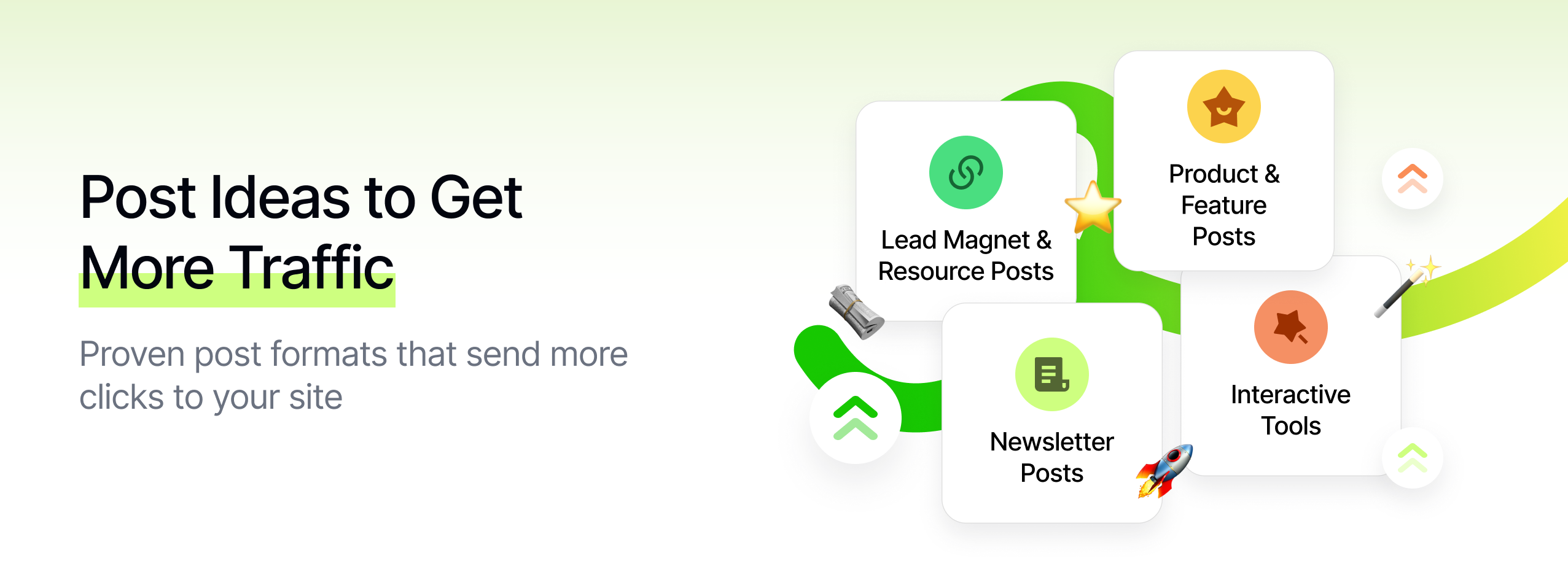
You're posting consistently... but your website sessions barely move.
- The same people like every post.
- Your "link in bio" gets ignored.
- Analytics shows reach without clicks.
If you want more website traffic from social media, you don't just need "better content." You need posts that are deliberately engineered to send people to your site.
The posts that reliably drive website traffic tend to:
- Give people a clear, specific reason to click
- Make your site feel like the natural next step, not a hard sell
- Build curiosity and tension you can only resolve on your website
This guide gives you 60 social media post ideas to drive website traffic, based on patterns we see repeatedly across Instagram, TikTok, LinkedIn, X, YouTube, and more inside Socialmon.
At Socialmon, we see the same thing again and again:
Posts that drive meaningful website traffic are specific (one problem, one link, one next step), benefit-driven ("you'll get X if you click"), and structured so the post + page work together.
Use this as a swipe file: pick 5-10 ideas, adapt them to your niche and offers, and ship them this week.

How These Ideas Help You Drive Website Traffic
Every idea in this list is designed to do at least one of these:
- Create curiosity that can only be satisfied on your site
- Promise a clear benefit that lives behind the link (guide, template, calculator, case study, etc.)
- Position your website as "home base" for deeper, more complete value
- Make clicking feel obvious and low-friction, not like extra work
You can adapt them across:
- Instagram / TikTok / YouTube Shorts Short-form teasers, story snippets, visual "trailers" for your articles, tools, or offers.
- LinkedIn / X Threads, carousels/doc posts, and opinion pieces that link to guides, case studies, and landing pages.
- Pinterest Visual pins that click through to blog posts, tutorials, and product pages.
💡 Pro tip with Socialmon Create a board called "Traffic Plays" inside Socialmon. Whenever you see a post in your niche with comments like:
- "Just signed up."
- "Bookmarking this, reading later."
- "Clicking now."
...save it. Over time, you'll build a real-world library of posts that actually drive clicks, so you're modeling proven patterns instead of guessing.
A. Blog & Article Teaser Posts (Turn Content Into Clicks)
These posts have one job: get people off the platform and onto your article. The post gives the hook and the high-level value; the website delivers the full transformation.
1. "This Thread/Post Is the Trailer; Full Movie on the Blog"
Position the social post as the trailer, not the full movie.
How to do it:
- Share one core insight or 1-2 key takeaways from your article.
- Make it clear this is just a slice of what's in the full guide.
- Use CTAs like: "This is just the trailer. Full breakdown is on the blog - link in bio/comments."
Best for: Deep dives, strategy guides, technical how-tos, multi-step frameworks.
Example structure (LinkedIn or X):
- Hook: "This is the 5-step system we used to double blog traffic in 90 days."
- 3-5 high-level steps (no full details yet).
- CTA: "Full screenshots, templates, and exact numbers are in the article → [link]."
With Socialmon: Save examples of "trailer vs full movie" posts to your Traffic Plays board. Look for how they balance value (enough to be useful) vs curiosity (enough missing that you want to click).
2. "X Mistakes People Make About [Topic] (Full Fixes on the Site)"
Use the post to diagnose the problem, and your article to provide the full treatment.
How to do it:
- In the post: share 2-3 punchy mistakes your audience is likely making.
- On your site: share the full list (e.g. 7-10 mistakes) with detailed fixes.
- CTA example: "We broke down all 10 mistakes and step-by-step fixes in our guide - read it here → [link]."
Why it drives traffic: People recognize themselves in the mistakes and want to see all of them + what to do instead, which lives on your site.
3. "Carousel Summary + 'Read the Full Guide' Slide"
Turn your article into a visual summary that sells the click.
How to do it:
- Slide 1 (Hook): "The 5-step system we use to 3x blog traffic from social."
- Slides 2-4: One slide per step with short, clear bullets.
- Final slide: "Want examples, screenshots, and templates? Read the full guide → link in bio / comments."
Tips:
- Don't cram the entire article into the carousel.
- The goal is to make your audience think: "I get the gist... now I want the full playbook."
With Socialmon: Search for "read the full guide" or "link in bio" carousels and save the ones with high saves/comments. Study:
- How much detail they include per slide
- Where and how they pitch the full article
4. "The Story of Why You Wrote This Article"
People click when they feel a real story and real stakes behind the content.
How to do it:
Tell a short, honest story:
- Pain: "We were stuck at 1,000 monthly sessions for months."
- Attempts: "We tried posting more, changing headlines, tweaking CTAs - nothing moved."
- Turning point: "So we rebuilt our content system from scratch."
- Resolution: "That's why we wrote this guide - it's the exact process that finally worked."
CTA example:
"If you're in that stuck place, the full story + step-by-step process is in this article → [link]."
Why it works: You're not just saying "new blog post!" You're saying, "Here's the battle we fought and the playbook we wish we had."
5. "Before/After Metrics + Link to Case Study Article"
Lead with numbers, then link to the story behind them.
How to do it:
- Start the post with a simple, visual before/after: "We went from 800 to 5,000 monthly visitors in 90 days."
- Include a quick chart or screenshot from your analytics.
- CTA: "We documented every step, including what didn't work, in this case study → [link]."
Best practice: Be specific: time period, channels, what changed. That specificity makes the case study feel worth the click.
6. "Quote Carousel from Your Blog Post"
Turn your article into a "swipe to get punched in the face by truths" carousel.
How to do it:
- Pull 5-7 strong lines from your article - the kind of sentences people highlight.
- Put each line on its own slide with clean, minimal design.
- Final slide CTA: "If these hit, you'll love the full article → [link]."
Why it drives traffic: You're giving people proof that the article is packed with sharp insights, not fluff.
With Socialmon: Save quote-carousels that make you want to click through to a blog. Note:
- The type of quotes they pick (spicy, contrarian, highly practical)
- How they phrase their final CTA slide
Use that to design your own quote-driven teasers.
B. Lead Magnet & Resource Posts (Traffic That Builds Assets)
These posts drive traffic by offering something concrete on your site: PDFs, templates, swipe files, Notion docs, etc. The click doesn't just create a session - it can also build your email list.
7. "Free Checklist / Cheat Sheet on the Site"
Offer a one-page, high-leverage checklist people can only get via your website.
How to do it:
- In the post, explain what the checklist helps them do, e.g.: "We use this 12-step pre-launch checklist before every campaign."
- Show 3-4 checklist items in the creative.
- CTA: "Get the full printable version (with examples) on our site - link in bio."
Make it work harder:
- Add an email gate on the page → now traffic = list growth.
- Embed explainer content on the same page so visitors stay longer.
8. "Template Preview + Full Download on Your Site"
Let people peek inside a template they really want.
How to do it:
- Show a screenshot of a Notion doc, Google Sheet, Figma, or doc you actually use.
- Highlight a few fields or sections with annotations: "We track this → so we can see that."
- CTA: "Grab the full editable version and instructions on our site → [link]."
Examples:
- "Our content experiment tracker template"
- "Client onboarding email sequence template"
- "Weekly growth dashboard spreadsheet"
With Socialmon: Search for posts that preview docs/spreadsheets and save the ones with strong comments like "Need this!" or "Downloading now." Use those as models for your preview visuals and CTAs.
9. "Mini Resource Library Teaser"
Bundle multiple resources into a single "library" page and drive traffic there.
How to do it:
Post something like:
"We've put together a mini library for [audience]: - Landing page checklist - Ad headline bank - Onboarding email template All in one place."
CTA:
"Access them all from one page on our site → [link]."
Why it works: People are more likely to click when they feel they're getting an entire toolbox, not just one thing.
10. "Challenge/Workshop Prep Pack"
Tie your lead magnet to a time-bound challenge or event.
How to do it:
- Post: "We're running a free 5-day 'Fix Your Homepage' challenge. We put together a prep pack with a worksheet + 3 example pages."
- CTA: "Download the prep pack from our site so you're ready for day 1 → [link]."
On the site: The prep pack page can also explain the challenge and link to the registration page, so your "traffic post" does double duty.
11. "Swipe File Hosted on Your Blog"
Turn curated examples into a clickable swipe file.
How to do it:
- In the post: "We collected 21 homepage hero sections that explain the product in 3 seconds or less." "Each one has a screenshot + 2 lines of breakdown."
- CTA: "See the full swipe file on our blog → [link]."
Perfect Socialmon angle: You can literally use Socialmon to collect those examples, tag them by format/industry, then export or reconstruct them in a blog post. Your social post becomes:
"We pulled our favorite homepage heroes from our Socialmon boards and turned them into a public swipe file - link in bio."
12. "This Google Sheet / Notion Doc Lives on Our Site"
People love getting real, working docs-not theoretical templates.
How to do it:
- Share a short video scrolling through your Sheet/Notion:
- Columns you use
- How you color-code
- One quick insight you get from it
- Caption CTA: "We use this to track every content experiment. Get your own copy + our how-to guide on our site → [link]."
With Socialmon: Save posts where creators share working docs. Pay attention to:
- The angles they use ("We use this every week", "We ran 50 experiments with this sheet")
- How they design the preview so it feels real, not generic
C. Product, Feature & Landing Page Posts (Traffic That Can Convert)
These posts are built to send people to product pages, feature pages, or sales landing pages-not just blog content. The goal is traffic that can turn into signups, trials, or sales.
13. "Problem → Agitate → Solution with CTA to Feature Page"
Use classic PAS, but make the solution live on your site.
How to do it:
- Problem: "You're posting regularly, but website traffic is flat."
- Agitate: "That means your content is working for the algorithm, not for your business."
- Solution: "We built [feature] that turns your top-performing posts into traffic and signups automatically."
CTA:
"See how it works (with examples) on our feature page → [link]."
Tips:
- One problem per post.
- One feature or benefit per landing page.
- Keep the social post short; let the page do the heavy lifting.
14. "Feature Tour Carousel with 'Try It' Link"
Walk people through exactly what your feature does, then send them to experience it themselves.
How to do it:
- Slide 1: Hook + core benefit ("Turn one viral post into 10 traffic drivers").
- Slides 2-5: Screenshots or mockups with short captions, like "Step 1: Save the post" / "Step 2: Generate variants" etc.
- Final slide: "See the full tour + try it yourself on our site → [link]."
Why it works: By the time they click, they already understand what they're going to see, which makes them more likely to convert.
15. "Before/After Using the Product"
Show a day-in-the-life without you vs with you.
How to do it:
- Visual split:
- "Before [product]" - chaotic, manual, scattered tools.
- "After [product]" - streamlined, tracked, automated.
- Caption: "If your week looks like the left side, our product is built to get you to the right side."
CTA:
"See exactly how the product works (with a 3-minute interactive demo) on our site → [link]."
With Socialmon: Save strong "before/after" posts from SaaS / tools into a "Conversion Plays" board. Look at:
- How concrete their "before" is
- How they connect "after" to the landing page you're about to visit
16. "Pricing Question Answered + Link to Pricing Page"
Answer the top pricing objection in the feed, then send people to your pricing page for details.
How to do it:
- Post: "Do we have a free plan? Yes. Do we lock features behind paywalls? No. Is there a discount for annual? Yes - 2 months free."
- CTA: "All pricing details + examples of real setups are on our pricing page → [link]."
Why it helps: People often search "{Tool} pricing" or ask in comments. This post preempts that and channels the curiosity straight to your site.
17. "Use Case Carousel That Links to Specific Landing Page"
Tie your use-case storytelling directly to dedicated landing pages.
How to do it:
- Create a carousel like "How [role] uses [product] to [outcome]":
- Slide 1: "How content managers use [product] to drive website traffic."
- Slides 2-5: Steps / flows / screenshots.
- CTA on last slide: "If you're a content manager, we made a page that walks you through a full example → [link]."
Tip: Have separate landing pages for main personas (e.g. founders, marketers, agencies) and match your social content accordingly.
18. "New Feature Announcement → 'See It in Action' on Site"
Announce new features in a way that pushes people to your demo or feature page.
How to do it:
- Short lo-fi screen recording of the feature.
- 1-2 bullets:
- What it does
- Why it matters ("cuts reporting time in half", "helps you catch traffic leaks", etc.)
- CTA: "Full walkthrough + early access details are on our site → [link]."
With Socialmon: Create a "Feature Launch Posts" board and save launches that get meaningful comments and buzz. Use them as templates when you roll out your own releases.
D. Newsletter & Email List Posts (Traffic That Compounds)
These posts drive traffic to newsletter signup pages and turn that traffic into an owned audience. Done right, every email you send later pushes repeat traffic back to your site.
19. "What's Inside This Week's Newsletter"
Tease specific contents, not just "a new issue."
How to do it:
- Post something like: "In this week's issue: - Our TikTok → blog traffic system (step-by-step) - 3 post formats that sent 2x more clicks to our site - A UTM naming template you can copy."
- CTA: "Subscribe on our site to get it (and future issues) in your inbox → [link]."
Why it works: You're not selling "a newsletter." You're selling concrete outcomes and assets.
20. "Screenshot of a Recent Newsletter Section"
Show people what they're missing.
How to do it:
- Take a screenshot of a high-value section (e.g. a mini case study or framework).
- Blur or crop parts so it's clear there's more.
- Caption: "This is one section from last week's email on driving traffic from carousels." "If you want the full breakdown every week, join the list via our site → [link]."
With Socialmon: Save posts where creators share newsletter snippets. Note which:
- Get comments like "Just subscribed"
- Use strong visuals / bold highlighting to draw the eye
21. "Email-Only Bonus Content"
Make your email list feel like a VIP room, and your site the lobby.
How to do it:
- Post: "Today I'm sending the full case study (including revenue and screenshots) only to the email list."
- CTA: "If you want it, subscribe on our site before [time] → [link]."
Follow-up idea: Host the case study on a hidden URL and send it to subscribers only. Later, you can open it up publicly and drive more traffic with a "previously email-only" angle.
22. "Newsletter as a 'Cohort' or Season"
Turn your newsletter into a time-limited program.
How to do it:
- Post: "For the next 6 weeks, I'm sending one traffic play per week - each with examples and scripts. Think of it as a free cohort."
- CTA: "All issues go to the email list only. Join via our site → [link]."
Why it works: People are more likely to sign up for a clear arc ("6 weeks to X") than a vague "newsletter."
23. "Newsletter Archive on Your Site"
If you keep an archive, highlight it.
How to do it:
- Post: "We've published 25 issues breaking down how to drive traffic from social to your site." "All of them are free to read in our archive."
- CTA: "Browse any issue and subscribe from the same page → [link]."
Traffic benefit: People might read multiple issues in one session → more pageviews, more time on site.
24. "Behind the Scenes of How You Write the Newsletter"
Pull back the curtain on your process and link to your signup page.
How to do it:
- Short Reel/TikTok showing:
- You brainstorming topics
- Grabbing examples from your Socialmon boards
- Drafting in Google Docs / Notion
- Caption: "If you enjoy seeing the process, you'll love the finished product. The full newsletter (with links, templates, and examples) goes out weekly - sign up on our site → [link]."
With Socialmon: This is a nice meta plug: show yourself literally using Socialmon to pull in examples for your newsletter. That both sells the newsletter and Socialmon as part of your workflow.
E. Interactive Tools, Quizzes & Calculators (Traffic Magnets)
Interactive content is a natural click driver. People will leave the platform if they get a personalized result or a useful output on your site.
25. "Quiz: Find Your [Type / Stage / Plan]"
Quizzes are classic traffic engines because everyone wants to know which bucket they're in.
How to do it:
- On your site, host a quiz like:
- "What content strategy stage are you in?"
- "Which pricing model fits your business?"
- In the post:
- Hook: "Not sure which strategy to use?"
- Promise: "Answer 7 questions and we'll tell you exactly where you are + what to do next."
- CTA: "Take the 2-minute quiz on our site → [link]."
Tip: Give a clear, useful result (with next steps), not just a label.
26. "Calculator Teaser"
Calculators drive traffic because they offer hard numbers, not generic advice.
How to do it:
- Build a simple calculator on your site:
- "How much traffic you need to hit $X MRR"
- "How many leads you need per month to reach your target"
- Post:
- Short screen recording of the calculator in action.
- Caption: "We built a calculator that shows how much traffic you actually need to hit your revenue goal."
- CTA: "Try it free on our site-no login required → [link]."
With Socialmon: Save examples of calculator teasers in a "Tools & Quizzes" board and look at:
- How they frame the benefit ("know your number", "see your gap")
- How simple the visuals are
27. "Interactive Checklist or Scorecard"
A self-assessment that scores people is an excellent reason to click.
How to do it:
- On your site:
- Build a clickable scorecard ("12 questions to rate your funnel health")
- Show a score + tailored advice on the results page.
- Post: "How healthy is your funnel? Answer 12 quick questions and we'll score it for you."
- CTA: "Take the assessment on our site and get your score instantly → [link]."
Why it works: People are curious about where they stand vs where they should be.
28. "Tool + Tutorial Combo"
Pair a tool with a step-by-step tutorial hosted on your site.
How to do it:
- On your site:
- Page layout: tool at the top, tutorial below.
- Post: "We built a tool that generates a week of content angles in one click. On the page, we show exactly how we use it to drive traffic."
- CTA: "Tool + full walkthrough live on our site → [link]."
With Socialmon: Use Socialmon to collect posts from brands launching small tools ("we built this free calculator," "we made this generator") and model their structure.
29. "Challenge Hub Page"
If you run multi-day challenges, centralize everything on one URL and send traffic there.
How to do it:
- On your site:
- One "hub" page with replays, workbooks, assignments.
- Post: "We're running a free 5-day 'Fix Your Homepage' challenge. All replays, homework, and resources live on one page."
- CTA: "Bookmark the challenge hub on our site → [link]."
Benefit: Every time you promote the challenge, you're also promoting the same URL, building steady traffic and backlinks.
30. "Resource Hub / Toolbox Page"
Turn your site into a "toolbox" destination.
How to do it:
- Create a page that lists all your:
- Checklists
- Templates
- Swipe files
- Tools
- Post: "We made a toolbox of every template, checklist, and script we mention in our content."
- CTA: "Everything lives on one resource page on our site-save it → [link]."
With Socialmon: Save posts that promote "toolboxes", "starter kits", and "resource hubs." Compare:
- How they describe what's inside
- Whether they show screenshots vs simple text
F. Case Studies & Customer Stories (Traffic With Proof)
Case studies sit closer to purchase decisions. Use social to tease the story and results, then send people to the full write-up on your site.
31. "Mini Case Study → Full Story on the Site"
Compress the story on social, expand it on your site.
How to do it:
- Post summary:
- Who they are
- Main problem
- Key result
- "A B2B SaaS founder stuck at 2k sessions/month doubled traffic in 4 months using our playbook."
- CTA: "Full story + step-by-step breakdown is on our site → [link]."
Why it works: You're giving enough proof to build trust, but they need the website to see how it happened.
32. "Carousel of 3 Micro Case Studies"
Bundle multiple wins into one post and send traffic to a roundup article.
How to do it:
- Carousel:
- Slide 1: Hook ("3 traffic wins from teams like yours")
- Slides 2-4: One client per slide (industry, result, 1-2 actions).
- Final slide CTA: "We put all the details + templates behind these wins in one article on our site → [link]."
Tip: Pick case studies that share a theme (e.g. "traffic from email," "traffic from Reels," "traffic from SEO + social").
33. "Video Testimonial Clip + Link to Case Study Page"
Video builds trust; the site houses the full story + CTA.
How to do it:
- Post a 15-30 second clip of a customer saying something specific, like: "We started seeing consistent traffic spikes every time they posted about us."
- Caption CTA: "Watch the full story + see what they implemented step by step on our site → [link]."
With Socialmon: Save testimonial posts that link to case studies. Note:
- The kind of claims customers make
- How the brand connects those claims to their case study page
34. "Story of a Failed Attempt Before the Win"
Honesty gets clicks.
How to do it:
- Post: "We tried to grow traffic by just posting more often. It didn't move. Then we changed one thing: we started building posts specifically to send people to our site."
- Add a quick "before/after" graph.
- CTA: "We wrote an article breaking down the failed attempts and what finally worked → [link]."
Why it works: People are tired of "we crushed it" stories. They'll click for a realistic path, including what not to do.
35. "Vertical Video Walking Through the Case Study Page"
Use a lo-fi scroll-through to sell the value of the page itself.
How to do it:
- Record yourself scrolling down the case study:
- Overview
- Graphs
- Screenshots
- Key lessons section
- Talk over it: "This is the full breakdown of how we took this client from [before] to [after]. We show traffic graphs, campaign screenshots, and even mistakes we made."
- CTA: "If you want to see the full story, it's live on our site → [link]."
36. "Sector/Use Case Case Study Roundup"
Group several case studies for a specific niche.
How to do it:
- Post: "We collected 5 case studies from SaaS teams that doubled traffic in 3-6 months without increasing ad spend."
- CTA: "All 5 are linked from one roundup page on our site → [link]."
With Socialmon: Find brands doing "industry roundups" and save them. Use them as inspiration for both post format and page layout.
G. Comparison, Buying Guides & Decision Content (Traffic Near Purchase)
When someone is comparing tools or solutions, they are traffic- and click-hungry. Meet them there.
37. "X vs Y Comparison → Full Table on the Site"
Comparison content is SEO gold and a strong traffic driver from social.
How to do it:
- On your site:
- A comparison table, pros/cons, and your recommendations.
- In the post: "We compared [Tool A] vs [Tool B] for small teams trying to grow traffic." "There were 2 big surprises (especially on pricing and onboarding)."
- CTA: "See the full comparison table + our recommendation on our site → [link]."
38. "Short 'Who This Is For / Not For' + Link to Product Page"
Help people self-qualify, then send them to the page if they're a fit.
How to do it:
- Post:
- "This is for you if..." (3-5 bullets)
- "Not for you if..." (3-5 bullets)
- CTA: "If you're in the 'yes' bucket, the full overview page is here → [link]."
Why it drives high-quality traffic: Only the right people click-and they arrive primed.
39. "Buying Guide Carousel"
Use a carousel as the "pre-buy checklist" and the website as the deep guide.
How to do it:
- Post: "Choosing a [category]? Don't buy until you've answered these 7 questions."
- One question per slide.
- CTA: "We turned this into a full buying guide on our site, with examples and templates → [link]."
40. "Checklist: Are You Ready for [Solution Type]?"
People click when they believe they're "ready".
How to do it:
- Post:
- 5-7 readiness checks (revenue level, team size, stage, constraints).
- CTA: "If you checked most of these, our solution page will show you exactly how we can help → [link]."
With Socialmon: Save "readiness checklist" posts. Note how top creators make them feel encouraging, not gatekeeping.
41. "My Stack Breakdown → Links to Product Pages"
Turn your tool stack into a traffic engine.
How to do it:
- Post: "Here's the stack we use to manage content and drive traffic: - Tool A for analytics - Tool B for scheduling - Tool C for inspiration - Tool D for landing pages"
- CTA: "We explained each choice + our setup in a blog post on our site → [link]."
Nice Socialmon angle: Include Socialmon in your stack as the "content inspiration & swipe file engine" and show screens from your actual boards on the blog.
42. "Pricing Scenario Examples"
Bring abstract pricing to life.
How to do it:
- Post: "Roughly what you'd pay with us: - Solo creator: around $X/month - Small team (3-5 ppl): around $Y/month - Larger team: around $Z/month"
- CTA: "We mapped out more real-world scenarios + ROI math on our pricing page → [link]."
Why it helps: People click to see their specific scenario, not just generic price tiers.
H. Live, Launch & Event-Driven Traffic Posts
Launches and events are natural reasons to send people to landing pages, registration pages, or launch hubs.
43. "Event Announcement → Register on the Site"
Keep the detail on your site, the hook in the post.
How to do it:
- Post: "We're hosting a live workshop on [topic] next Thursday." "We'll walk through [A], [B], and [C] and show real examples."
- CTA: "All the details + registration link are on our site → [link]."
44. "Countdown Posts to a Launch Page"
Warm people up over several posts.
How to do it:
- T-3: Tease problem & promise.
- T-2: Reveal bonuses or early-bird perks.
- T-1: Share behind-the-scenes or FAQs.
- Each post CTA: "The launch page with details, bonuses, and FAQ is here → [link]."
Tip: Use the same launch URL across all posts for clean tracking.
45. "Behind-the-Scenes of Building the Launch Page"
Turn your landing page into content before people even see it.
How to do it:
- Post short clips:
- Writing copy
- Picking testimonials
- Deciding what to include/exclude
- Caption: "We're obsessing over this launch page so that when you land on it, everything's crystal clear." "The finished page is now live here → [link]."
46. "Replay and Resource Page After a Live"
Don't let your live content die.
How to do it:
- Post: "If you missed the live, we put the replay, slides, and templates on one page."
- CTA: "Grab everything on our site before we take it down → [link]."
With Socialmon: Save posts where creators drive traffic to replay pages. Look at:
- How long they keep replays open
- What urgency they use ("available until Sunday")
47. "FAQ Post that Links to Launch FAQ Page"
Handle objections in the feed, complete the picture on your site.
How to do it:
- Post 3-5 quick FAQs with short answers.
- CTA: "We answered 20+ more questions (including pricing edge cases) on our launch FAQ page → [link]."
48. "Launch Recap + Next Step on the Site"
Use post-launch content to send people to evergreen pages.
How to do it:
- Post: "What happened during launch week: - X visitors - Y signups - Z top questions we got"
- CTA: "We wrote a full recap with screenshots + next steps in a blog post on our site → [link]."
I. Retargeting-Style Organic Posts (Traffic from Warm Audiences)
These posts nudge people who already know you to finally click.
49. "For Everyone Who Bookmarked But Never Clicked"
Call out the behavior directly (because we all do it).
How to do it:
- Post: "If you saved our last carousel but never actually read the full guide, this is your reminder."
- CTA: "We put everything in one article here → [link]. Hit it now so it doesn't get buried again."
50. "Follow-Up Post: 'I Got Many DMs About This'"
Use inbound interest as a story.
How to do it:
- Post: "We got a ton of DMs about yesterday's post on driving traffic from Reels." "Instead of replying 1:1, we answered all the questions in a single article."
- CTA: "Read it here → [link]."
With Socialmon: Save posts where creators turn DMs into public content. Note how they mention "DM flood" to create curiosity and social proof.
51. "Reposting a Winner with a Stronger CTA"
Repost top performers, but sharpen the intent.
How to do it:
- Take an old "teaser" post that did well.
- Update:
- Hook (make it clearer/spicier).
- CTA (make it explicitly about reading the article or checking the page).
- Add: "Last time we shared this, the article quietly became our most-read guide."
Why it works: You're not "recycling content"-you're giving a proven idea another push with a better CTA.
52. "Segmented Reminder Posts"
Create "this is specifically for you" reminders.
How to do it:
- Post: "If you're a solo founder and you missed this, we wrote a guide specifically for you on driving traffic with almost no budget."
- CTA: "Read the solo-founder version on our site → [link]."
Tip: You can do different posts for different segments (agencies, SaaS, local businesses) all pointing to tailored landing pages.
J. Low-Effort Recurring Traffic Boosters
For busy weeks, these are minimum-viable traffic plays you can keep repeating.
53. "Weekly 'Start Here' Post"
Remind new and existing followers where to click first.
How to do it:
- Once a week, post: "New here? Here's the best place to start on our site: - [Guide 1] - [Guide 2] - [Tool or resource page]"
- CTA: "All linked from one page → [URL]."
54. "Pinned Post Linking to Your Main Resource Page"
Turn your pinned post into a permanent traffic driver.
How to do it:
- Pinned post:
- Explain what people will find on your site: best guides, tools, newsletter, demos.
- CTA: "If you only click one link from us, make it this one → [URL]."
With Socialmon: Save pinned posts from accounts you admire and notice which ones feel like clear entry points to their websites.
55. "Monthly 'Best Stuff We Published' Recap"
Bundle multiple URLs into a single "catch-up" post.
How to do it:
- Post: "Here's what we published this month to help you drive traffic: - [Title 1] (what it helps with) - [Title 2] - [Title 3]"
- CTA: "We put all the links on one page so you can binge them → [link]."
56. "Evergreen Post with a URL in the Creative"
Sometimes the visual can carry your URL.
How to do it:
- Create a simple text graphic with a concise tip.
- Include your domain clearly (but tastefully) at the bottom.
- Caption CTA: "If you want more like this, the full library lives at [URL]."
Note: This is less about direct click tracking, more about making your domain memorable so people type it in later.
57. "Pinned Comment with Link on High-Performing Posts"
Update posts that start taking off.
How to do it:
- If you notice a post spiking:
- Add a comment: "We turned this idea into a full article here → [URL]."
- Pin it.
- People who read the comments (and many do) see a prominent, contextual link.
58. "Routine Story Link Sticker"
Use Stories to send small but consistent traffic.
How to do it:
- Once or twice a week, post in Stories: "Today's deep dive: how we [result]. Tap to read →"
- Add link sticker.
- Or: "New on the blog: [title]."
Why it helps: Stories might not blow up with views, but they reach warm followers who are most likely to click.
59. "Content Series That Always Points Back to the Same Page"
Treat one page as your home base.
How to do it:
- Run a weekly series like "Traffic Play of the Week."
- Every post mentions: "We keep all past plays archived and updated on this page → [URL]."
Benefit: Over time, this page can become a pillar asset with strong engagement and backlinks.
60. "Ask for Site Feedback + Link to the Page"
People love giving feedback-use that to drive them to your site.
How to do it:
- Post: "We're redesigning our homepage and would love honest feedback." "What's clear? What's confusing?"
- Include a screenshot.
- CTA: "Have a look at the live version and tell us what you'd change → [URL]."
Bonus: You'll get real insights on how people experience your page, not just clicks.
How to Actually Use These Website Traffic Post Ideas
A big list is nice. A repeatable system is better.
Here's how to turn these ideas into consistent, intentional website traffic instead of random link clicks.
1. Decide Which Page(s) You Actually Want Traffic To
"Drive traffic" is not a goal. Driving traffic to where?
Pick:
- 1-2 pillar articles
- 1-2 key product/feature pages
- 1 newsletter signup or resource hub
You can still link elsewhere occasionally, but most traffic plays should point to these priority pages. That's how you turn traffic into compounding assets (SEO, leads, signups, demos).
2. Pick 5-10 Ideas You Can Repeat (Not Just Once)
From the 60 ideas, choose a simple, maintainable mix, for example:
- 2-3 article teaser posts per month
- 2-3 lead magnet / resource posts
- 1-2 case study / proof posts
- 1-2 low-effort recurring traffic boosters (e.g. "start here" / recap)
Run that mix for 60-90 days before you judge it. Consistency is what lets you see patterns.
3. Make Every Post Answer "Why Click?"
Before you hit publish, check:
- Is there one clear link? Not five. One obvious next step.
- Is there one clear benefit to clicking? "Read this" is weak; "Get the step-by-step checklist we use" is strong.
- Is the benefit bigger than the effort? For example: personalized result, specific template, full story, or key decision.
If you can't clearly answer "why click?", tighten the hook and CTA.
4. Track Clicks, Not Just Likes
If you want website traffic, your success metric can't just be engagement.
At minimum:
- Add UTM parameters to your links.
- Check your analytics (GA4, Plausible, etc.) for:
- Sessions by campaign/content
- Time on page, bounce, scroll depth
- Conversions (newsletter signups, demo requests, purchases)
Then ask:
- Which post types send the most traffic?
- Which send the most engaged traffic (low bounce, longer reads)?
Double down on those-even if they get fewer likes.
5. Use Socialmon as Your "Traffic Pattern Library"
Instead of guessing which social posts drive website traffic, study real ones.
Inside Socialmon, you can:
- Create a board called "Traffic Plays".
- Save posts that clearly push people to:
- Blog articles
- Lead magnets
- Product pages
- Webinars and launches
- Tag them by:
- Platform (IG, TikTok, LinkedIn, X, etc.)
- Format (carousel, Reel, thread, Stories)
- Destination type (blog, product, signup, tool)
Next time you sit down to create a "drive website traffic" post, open that board:
- Choose a pattern that matches your goal (e.g. "teaser → blog", "tool → calculator page").
- Adapt the hook, visual, and CTA to your brand.
- Link to the right page on your site.
Over time, this becomes your living playbook of what drives clicks in your niche-powered by actual posts and outcomes, not theory.
FAQ: Driving Website Traffic With Social Media Posts
1. What makes a social media post actually drive website traffic?
Posts that consistently drive website traffic usually have three things:
- Clear promise - what someone will get on your site "Full step-by-step guide", "calculator", "template pack", "case study with numbers".
- Focused message - one topic, one outcome, one link
- Visible, specific CTA - "Read the full guide here → [URL]" "Try the calculator on our site" "Download the checklist"
If your post feels "complete" on its own, people will like or save and keep scrolling. If it clearly signals "there's more and it's worth it", you give them a reason to click.
Socialmon helps by letting you see real posts in your niche that already drive clicks, so you can model what works instead of guessing.
2. Should I give everything away in the post, or just tease what's on my website?
Use a simple rule:
- On social: What + Why
- What the concept is, why it matters, a few examples or mistakes.
- On your site: How exactly
- Full steps, screenshots, scripts, templates, calculators, longer case studies.
For example:
- Social: "3 mistakes killing your homepage traffic."
- Site: "All 10 mistakes + the exact copy/structure we use instead."
If you're not sure where to draw the line, use Socialmon to find high-performing "teaser → article" posts and see how much value creators give away before they link out.
3. Where should I put the link to maximize clicks?
It depends on the platform, but common patterns:
- Instagram / TikTok
- Main: link in bio, link-in-bio tools, profile links.
- Bonus: link stickers in Stories, pinned comments with the URL.
- LinkedIn / X
- Test links in the post vs in the first comment.
- Use clear anchor text - not just raw URLs.
- YouTube Shorts
- Description and pinned comment.
Principles:
- Make the link easy to find.
- Make the surrounding copy specific: "Read the full guide on our site → [URL]" vs "Link in bio".
When you save content into Socialmon, note where they place links and how they phrase their CTAs. Those small details often explain why some posts send traffic and others don't.
4. How often can I post links without hurting engagement?
If every post says "click my link," people tune out. A simple starting ratio:
- 60-70% pure value / brand-building posts (no link or very soft CTA)
- 20-30% value + clear link (teasers to guides, tools, case studies)
- 10-20% strong promotional / launch content (sales pages, events, campaigns)
Even your traffic posts should stand alone as helpful content. People shouldn't feel punished for not clicking.
With Socialmon, you can categorize saved posts as:
- "Pure education"
- "Teaser → site"
- "Hard promo"
Then observe how top accounts in your niche balance those buckets.
5. Do I need a big following to drive meaningful website traffic?
No. A small, focused audience can drive serious traffic if:
- Your content speaks to a specific type of person
- Your offers solve a specific problem
- Your CTAs make the click clearly worth it
For a small account, 50-100 highly relevant visitors from one post can be more valuable than 10,000 random views.
Focus on:
- Narrow positioning - "content for X doing Y"
- Specific outcomes - "get this template", "see this case study", "use this calculator"
- Pages that actually convert attention into next steps
In Socialmon, you can even filter for smaller accounts and study how they frame their traffic-driving posts and CTAs.
6. How do I know which posts are actually driving website traffic?
Track it deliberately:
- Use UTM parameters on your links (campaign + content).
- In your analytics, look at:
- Sessions from social campaigns
- Time on page, scroll depth
- Conversions (signups, demos, purchases)
Also watch qualitative signals:
- DMs like "Just read your article"
- Comments like "Clicking now", "Going to implement this"
You can save your own social posts into a private Socialmon board, then cross-reference:
- Hook type
- Format
- Topic
...with which posts actually drove meaningful traffic in analytics. That's your pattern library.
7. Is it better to drive website traffic with organic posts or paid ads?
Both matter, but for different reasons:
- Organic
- Great for long-term trust, SEO support, and compounding traffic.
- Lower cash cost, higher time cost.
- Paid
- Great for testing offers, scaling specific pages, and accelerating results.
- Can be wasteful if the message or page is weak.
Smart approach:
- Use organic content to test ideas and hooks.
- When a post repeatedly sends good traffic, consider turning that concept into an ad or boosted post.
- Keep improving the connected landing page so ads aren't just paying for bounces.
Use Socialmon to separate:
- "Organic winners"
- "Ad creatives / sponsored posts"
...so you can see how the best-performing traffic posts differ.
8. Should I reuse the same "drive traffic" post across all platforms?
Reuse the idea, adapt the execution.
- LinkedIn / X:
- More text, more context, deeper argument.
- Instagram / TikTok / Shorts:
- Visual hook, shorter copy, strong caption CTA.
- Pinterest:
- Strong visual, keyword-rich title, description aligned with search.
Start from the page you want to promote. Then create platform-specific versions: one for LinkedIn, one for IG carousel, one as a Reel, etc.
If you're not sure how to adapt, use Socialmon to search the same topic across platforms and see how creators shift the format while keeping the core idea.
9. What types of pages should I prioritize sending traffic to?
Not every page deserves promotion. Prioritize:
- Pillar guides that solve high-intent problems
- Lead magnet / resource pages that build your email list
- High-converting product/feature pages
- Case studies that move people closer to buying
- Hub pages that link out to several related resources
Ask:
- "If I could only send people to one page this month, which page would it be?"
- "Does this page clearly tell them what to do next (subscribe, sign up, book, buy)?"
Align your traffic-driving posts with those high-leverage pages.
10. How can Socialmon specifically help me drive more website traffic?
Socialmon turns "I hope this works" into "I know this pattern works for others like me."
You can:
- Save real posts that clearly push people to:
- Articles
- Templates
- Product pages
- Webinars
- Launch hubs
- Organize them into boards such as:
- "Traffic Plays - Blog"
- "Traffic Plays - Lead Magnets"
- "Traffic Plays - Product"
- Tag them by platform, format, and destination.
Then when you're planning content:
- Open the board that matches your current goal (e.g. "promote our new guide").
- Look at 3-5 proven traffic posts from your niche.
- Use them as a starting point for your own hook, visuals, and CTA.
Instead of reinventing the wheel every time, you:
- Use this list as your idea engine, and
- Use Socialmon as your pattern library for posts that genuinely drive website traffic.
Over time, you'll have a complete growth system where social content and your website work together-by design, not by accident.



Get 50 viral posts for your niche (free)